Graphic Designing: A Complete Beginner’s Guide to Principles, Tools, and Benefits
Introduction
In today’s digital world, visual content plays an important role in attracting attention and communicating ideas. From website banners and social media posts to logos and advertisements, graphic design helps businesses present their messages in a creative and professional way.
Graphic designing combines creativity, visual communication, and design principles to create meaningful visuals. Whether you are a student, beginner, freelancer, or business owner, understanding graphic design can help you communicate ideas more effectively.
In this guide, we will explore what graphic designing is, its types, essential principles, popular tools, and benefits for businesses.
What Is Graphic Designing?
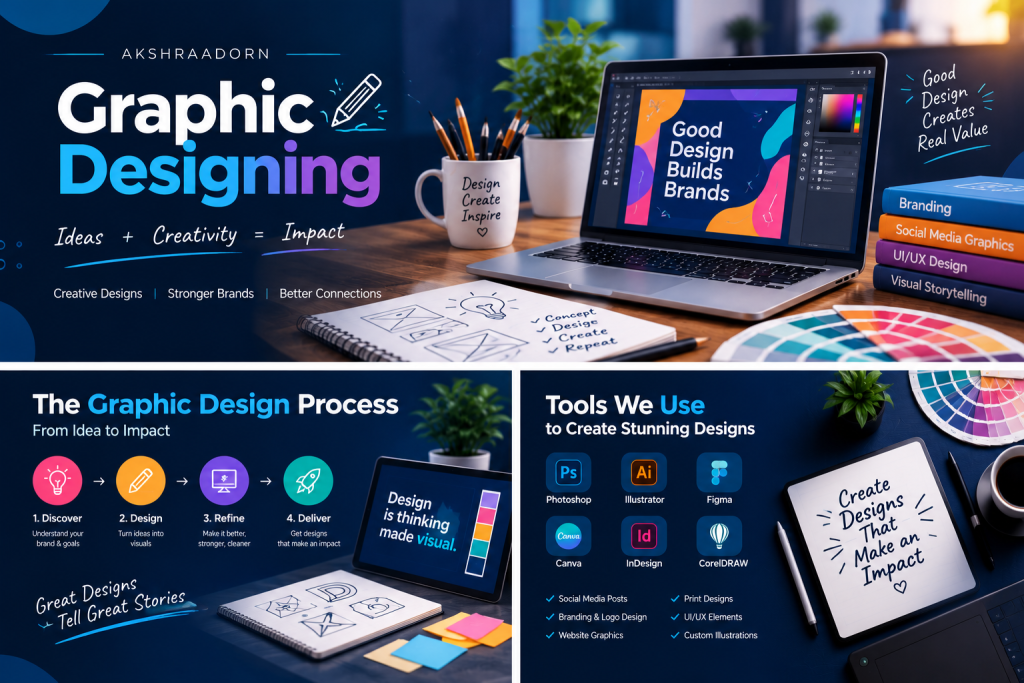
Graphic designing is the process of combining text, images, colours, shapes, and other visual elements to communicate a message.
Graphic designers create visual materials for businesses, brands, websites, social media platforms, advertisements, packaging, and printed publications.
For example, a business might use a logo to build brand recognition, social media graphics to promote its products, and website banners to communicate its services.
The main goal of graphic design is to make information visually appealing, understandable, and consistent with the intended message.
Why Is Graphic Designing Important?
Graphic design is more than making something look attractive. It helps businesses communicate clearly and build a consistent visual identity.
1. Creates a Strong First Impression
Professional and well-organized visuals can help a business appear credible and make a positive first impression on potential customers.
2. Builds Brand Identity
Consistent colours, typography, logos, and visual styles help people recognize a brand across different platforms.
3. Improves Communication
Visuals can explain ideas quickly and make complex information easier to understand.
4. Supports Digital Marketing
Graphic design is useful for social media posts, website banners, digital advertisements, email campaigns, and promotional materials.
5. Encourages Audience Engagement
Relevant and visually appealing designs can attract attention and encourage people to interact with content.
Types of Graphic Designing
Graphic design covers several areas, depending on the purpose and audience of the design.
1. Logo and Brand Identity Design
Brand identity design involves creating logos, colour palettes, typography systems, and visual guidelines that help a business maintain a recognizable appearance.
2. Social Media Graphic Design
Social media designers create posts, stories, thumbnails, banners, and promotional graphics for platforms such as Instagram, Facebook, and LinkedIn.
3. Website and UI Design
Website graphics and user interface design help create visually organized digital experiences. Designers consider layout, typography, buttons, spacing, and visual hierarchy to make interfaces easier to use.
4. Advertising and Marketing Design
This type of design includes digital advertisements, promotional banners, posters, brochures, and other materials used to communicate marketing messages.
5. Packaging Design
Packaging designers create visual elements for product boxes, labels, containers, and other packaging materials while considering brand identity and product information.
6. Print Design
Print design includes business cards, magazines, flyers, brochures, catalogues, and other materials intended for physical printing.
Essential Principles of Graphic Designing
Understanding basic design principles can help beginners create more effective visuals.
1. Colour
Colours influence the mood and appearance of a design. Choose a colour palette that matches the brand and provides sufficient contrast.
2. Typography
Typography is the art of arranging text. Select readable fonts and use suitable font sizes, spacing, and hierarchy to make information clear.
3. Balance
Balance refers to how visual elements are distributed within a composition. A balanced layout helps a design feel organized.
4. Contrast
Contrast makes important elements stand out. It can be created through colour, size, weight, shape, or spacing.
5. Alignment
Proper alignment creates order and helps viewers follow the content naturally.
6. Visual Hierarchy
Visual hierarchy guides the viewer’s attention toward the most important information first, such as a headline, key message, or call-to-action button.
7. White Space
White space is the empty space around design elements. Using enough space can improve readability and prevent a design from feeling crowded.